Exchange Online Migration: Complete Guide to Moving Mailboxes to Microsoft 365
- Get link
- X
- Other Apps
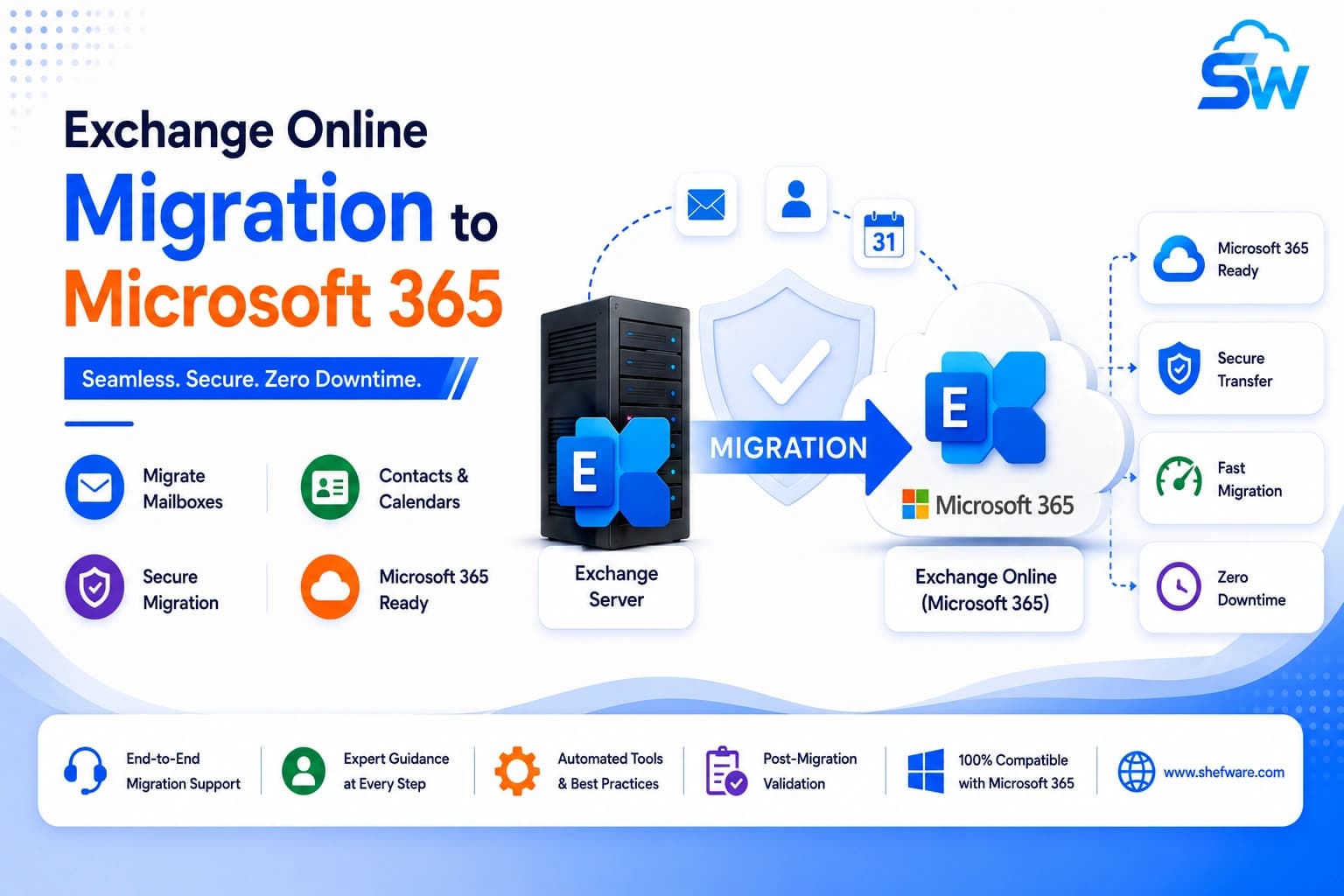
With the internet slowly bridging the gap between global connectivity and easy data sharing all around the world. Hence, organizations are slowly restructuring the digital transformation of email migration infrastructure to Microsoft 365. Hence, a planned Exchange Online Migration is critical as it ensures business continuity and growth, enhances collaboration, and strengthens security, while reducing infrastructure costs. But if the migration is not planned well, the mailbox migration can lead to downtime and data loss. In this blog, users will be guided on how to migrate, common challenges, and best practices for a complete migration.
Why are businesses moving to Microsoft 365?
There are multiple reasons why businesses are moving to Microsoft 365 because it provides a secure, scalable, and cloud-based email platform that simplifies communication while reducing IT management. Some of the key benefits include:
Access to emails from any location and device
Automatic software updates and security patches
Advanced compliance and data protection features
Built-in integration with Microsoft Teams, SharePoint, and OneDrive
Reduced IT infrastructure and maintenance costs
High availability backed by Microsoft's cloud infrastructure
Use case scenarios of Exchange Server Migration
It’s important to learn the different situations where Exchange Server Migration is used, such as:
Aging Exchange Server infrastructure
Increasing maintenance and licensing costs
Frequent storage limitations
Remote or hybrid workforce requirements
Compliance and security concerns
Expansion through mergers or acquisitions
Plans to adopt Microsoft 365 services
Things to prepare before starting Exchange Online Migration
Before you perform the Exchange Online Migration, prepare a complete Exchange Online Migration checklist to minimize the risks and improve migration efficiency. Ensure the following things:
Analyze existing Exchange Environment
Check the existing Exchange version, mailbox size, and public folders for a suitable migration approach.
Prepare your Microsoft 365 environment
Configure user accounts, licenses, and domains before starting the migration.
Organize Mailboxes
Remove inactive users, unnecessary mailboxes, and data to enhance migration performance.
Verify Network Bandwidth
Check that the network server is working smoothly to avoid any disruption during the mailbox migration.
Create a Data Backup
Back up important mailbox data to safeguard the data in case of data loss.
Inform Users
Inform users about the migration schedule, expected downtime, and post-migration.
Types of Online Migration methods
Understand the different Online Migration methods depending on the organization’s size and infrastructure. Follow a structured Exchange Online Migration Checklist to minimize the risk and improve the migration efficiency.
Cutover Migration
The cutover migration is chosen by small organizations with smaller migrations to migrate all mailboxes at once.
Staged Migration
The staged migration is chosen by businesses to migrate all the mailboxes in batches to easily manage the larger environments with minimal disruption.
Hybrid Migration
The Hybrid migration is chosen by large enterprises that want to migrate large mailboxes gradually while keeping the Exchange Server and Microsoft 365, ensuring minimal downtime.
Exchange Only Migration between tenants
This method is chosen by companies to merge or split into separate organizations. It is usually done to transfer the mailbox from a Microsoft 365 tenant to a new one to improve productivity.
Challenges during Exchange Online Migration
There are the following challenges during Exchange Online migration, which become obstacles for smooth migration.
Large mailboxes
Migrating large mailboxes can increase migration time. Moving users in smaller sizes helps improve performance.
Unstable Network
Limited or unstable networks can slow down the migration. Scheduling migrations during suitable time can reduce the network disruption.
Permission and Shared Mailbox Issues
Mailbox delegates and shared permissions should always be verified after migration to ensure uninterrupted collaboration.
Public Folder Migration
It requires additional planning because of their complex structure and permissions.
User Downtime
Sometimes, migrating the mailbox data all at once can lead to downtime. Choosing the staged migration method in this case leads to minimum downtime and less disruption during migration.
Why manual methods don’t work for Exchange Online Migration
Common reasons why manual methods don't work for Exchange Online Migration.
Requires technical expertise
Time-consuming for large or multiple mailbox migrations
Limited monitoring and migration reporting
Difficult to manage large-scale or enterprise migrations
Requires constant manual supervision
Limited automation for batch mailbox migration
Increased downtime in complex migration scenarios
Professional method: Shefware Office 365 Migrator Tool
For a faster and more reliable solution to migrate the mailbox to Office 365, choose Shefware Office 365 Migrator Tool. It is designed to transfer the mailbox data quickly and easily. To perform Exchange Online Migration between tenants or migrate mailbox data across Microsoft 365 environments. Unlike traditional Exchange migration tools, the Shefware Office 365 migrator tool supports batch migration. The tool preserves the mailbox hierarchy and properties, while providing an efficient solution for users looking for a powerful migration tool.
Features of Shefware Office 365 Migrator Tool
Migrate mailbox data from one Office 365 tenant to another securely.
Migrate multiple Office 365 user accounts, making large-scale migrations fast and efficient.
Preserve and maintain original mailbox hierarchy and structure throughout the migration process.
Skip duplicate data and migrate only new mailbox data.
Apply the date filter to migrate the data within a specific date range.
Transfer the mailbox data without any data loss.
How does Shefware Office 365 migrator tool work?
Read the steps below to understand how the Shefware Office 365 migrator tool works.
Launch the Shefware Office 365 migrator tool on your system.
Add the source and destination Office 365 Accounts.
Map source mailboxes with the corresponding destination mailboxes to ensure accurate mailbox mapping.
Choose all the mailboxes or specific folders for migration.
Schedule the migration and enter the destination folders.
Click Start migration to start transferring the mailbox data.
Best Practices for Exchange Online Migration
Perform a pilot migration before migrating all users.
Schedule migrations for ease and preference.
Migrate the mailbox data in batches.
Validate mailbox permissions after migration.
Monitor migration reports throughout the process.
Keep mailbox backups in case of any accidental deletion.
Conclusion
Performing an Exchange Online Migration is easy when it is done through right methods and tools. One of the common problems in migration exchange faced is the Exchange to Exchange Online Migration. Shefware Office 365 Migrator tool helps the users to migrate the mailbox data from one tenant to another tenant without any data loss. Switch to professional tool like Shefware Office 365 migrator tool to transfer mailbox securely while maintaining the data loss.
Frequently Asked Questions
Q1. What is Exchange Online Migration?
Ans. Exchange Online Migration is the process of transferring mailbox data such as emails, contacts, calendars, tasks,etc from an on-premises Exchange Server to Microsoft Exchange Online.
Q2. Why choose Shefware Office 365 migrator tool?
Ans. Shefware Office 365 migrator tool provides a secure and efficient solution for Office 365 tenant-to-tenant migration. It supports batch mailbox migration while preserving the original mailbox data.
Q3. Does Exchange Online Migration cause data loss?
Ans. To safely migrate the data, it is important to select the right Exchange Migration Tools like Shefware Office 365 migrator tool which helps in migrating the mailbox data such as emails, calendars, tasks, etc.
- Get link
- X
- Other Apps

Comments
Post a Comment