What is Green Screen of Death? Causes, Troubleshooting & Fixes
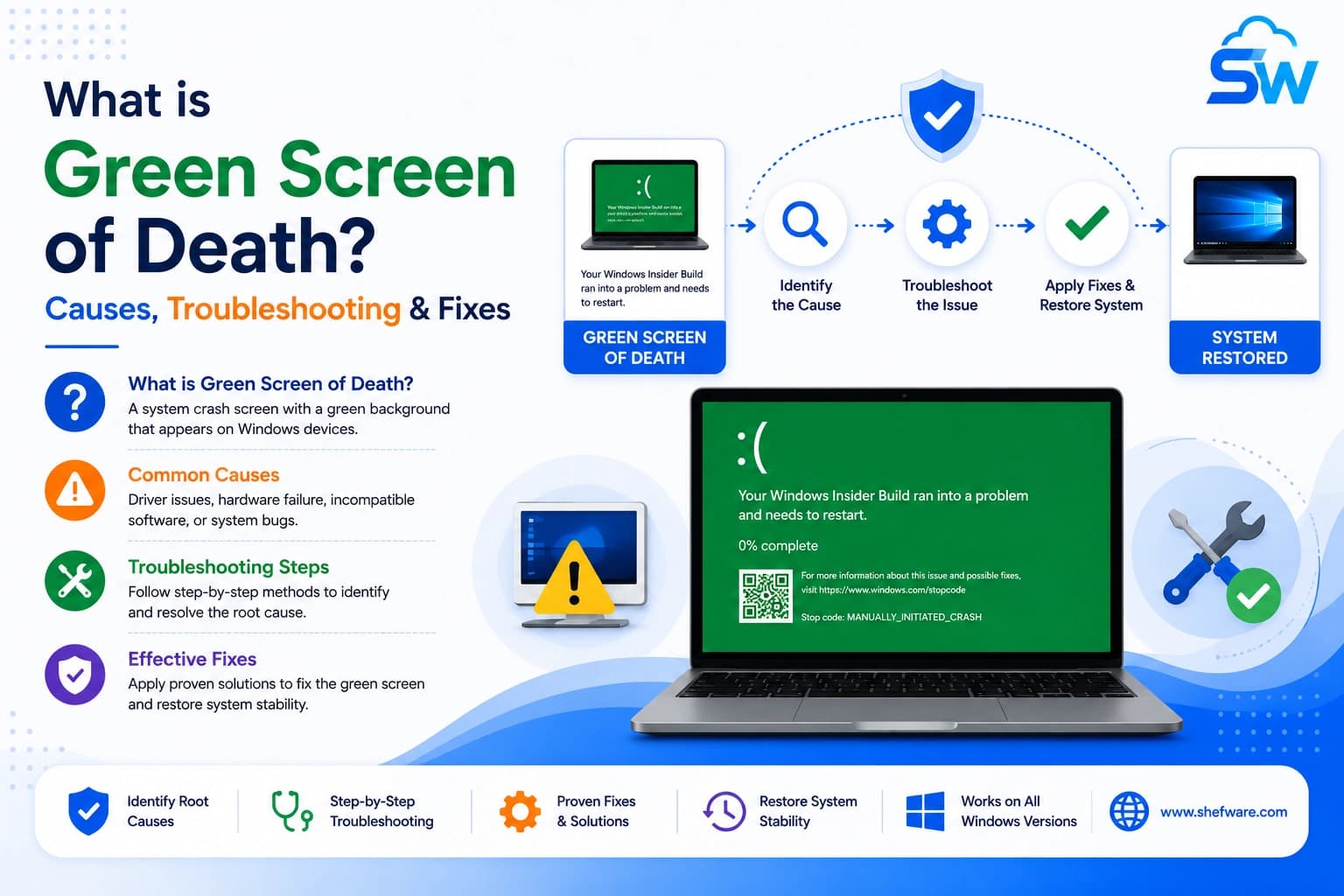
The Green Screen of Death (GSOD) is a critical Windows error that forces a computer system to stop functioning and restart unexpectedly. An unexpected system crash not only interrupts the work but can also lead to file corruption and data loss if applications are actively reading or writing data. In this blog, users will be guided on what the green screen of death is, the common causes, symptoms, troubleshooting methods, and how to recover Outlook data if a system crash damages your PST file.
What is Green Screen of Death?
The Green Screen of Death is a critical hardware or software problem that causes the Windows computer to display a green error screen, freeze, and become unresponsive. Users experiencing the green screen of death often report repeated crashes, unexpected reboots, or startup failures. The issue can be triggered by corrupted device drivers, hardware malfunctions, or incompatible software, failed Windows updates, or damaged system files. Although most commonly seen in Windows Insider Preview builds, similar green screen errors may also occur under certain hardware or software conditions. The most common green screen of death errors are:
-
"The DVR has detected a serious problem and is now attempting to fix it"
-
"A severe error has occurred".
Common Causes of Green Screen of Death
There are multiple factors of the green screen of death:
-
Hardware Failure
Issues with internal hardware are one of the leading causes of the green screen of death. It can be due to faulty RAM, damaged graphics cards, failing hard drives, or motherboard issues that can prevent the system from functioning properly.
-
Corrupted or Incompatible Software
When applications are incompatible with the operating system or consume excessive system resources may cause the device to freeze or crash.
-
Graphics Drivers and Display Issues
When the graphics drivers become outdated, corrupted, or unsupported, it can cause a GPU green screen of death. Users need to identify that incorrect display settings, failed hardware acceleration, or HDR compatibility issues can cause a green screen of death.
-
Overheating
When the devices become heated during gaming, video editing, or any other task, it causes unexpected crashes or display problems. Hence, an unstable power supply, a faulty charger, or a damaged HDMI can trigger green screen issues on Windows PCs, etc.
-
Corrupted Files
The files become corrupted due to a failed update, sudden power loss, malware attack, or abrupt system shutdown. This leads to a system crash, the system restarting automatically, or the display of the Green Screen Windows error.
-
Malware and Virus Attacks
The device can be affected by malware, viruses, or incompatible applications, corrupting the system files. It can also lead to device-specific errors such as green screen of death Tivo, ps4 green screen of death fix, or Windows Longhorn green screen of death, depending on the platform.
-
System Overload
When multiple applications are run, such as graphics-intensive games or resource-demanding tasks, it can put excessive pressure on the device. This leads to system overload and causes the system to either freeze or crash.
-
Damaged Screen
When the system is accidentally dropped or the devices are damaged due to any liquid damage, it results in a green screen of death. Devices such as the iPhone with a green screen, the MacBook Pro green screen of death, iPad green screen, etc.
Symptoms of Green Screen of Death
-
Sudden Green Screen Display
The display might turn green, and a pop-up message often appears signalling the device's unresponsiveness.
-
Frequent System Crashes
The device crashes suddenly while running applications such as gaming, working, or installing updates.
-
Automatic restart
The system might automatically restart after displaying the Green Screen of Death Windows error.
-
System Freeze
Other devices attached to the computers, such as a mouse, a keyboard, and applications, stop responding, which eventually forces you to restart the device.
-
Poor performance
The system may slow down, lag frequently, or freeze while performing the daily tasks before the green screen of death appears.
Can Green Screen of Death cause Data Loss?
Yes, the Green Screen of Death can cause data loss, but not in every situation. However, in certain situations, the frequent system crashes can result in corrupted files and damage to the Windows file system. If the Green Screen of Death is caused by a failing hard drive, SSD, or other hardware component, the chances of data loss increase.
Hence, to reduce the data loss, one needs to:
-
Regularly save the work.
-
Keep regular backups of important files.
-
Avoid abrupt system shutdown.
How to fix green screen of death?
In the situations presented above, it is recommended to reset the device you are working on. Once the system reboots, ensure that the operating system is properly updated to avoid any security issues.
Method 1: Install the Latest Graphic Card Drivers
Outdated or incompatible graphic drivers can cause the Windows Screen of Death. Therefore, users need to open Device Manager to update their graphics drivers to run the system smoothly.
Method 2: Update Windows
Follow the steps below to update the drivers:
-
Click on Win + Q, and navigate to Device Manager.
-
Right-click on the installed graphic driver.
-
Click on Update Drivers.
-
Click on Search automatically for drivers to look for a compatible driver online.
-
Once the process is completed, restart the system.
Method 3: Restart Computer
The Green Screen of Death can also trigger a software glitch or frequent crashes. Hence, if the problem is extreme, the first step is to restart the computer and relaunch it to check for problems.
Professional Solution: Shefware Video Converter
When the system is affected by the green screen of death, the multimedia files are difficult to access, incompatible with the preferred media player, or, in some cases, require conversion for editing and sharing. So, a suitable tool is a must while recovering personal videos, recorded presentations, or any other projects.
Shefware Video Converter tool is an advanced and user-friendly solution that helps in converting the videos into different popular formats while preserving the original quality. The tool is built with a high-speed conversion engine, which ensures the media files remain accessible across different devices and platforms.
Key features of Shefware Video Converter
-
Convert videos between multiple popular file formats.
-
Preserve original video and audio quality
-
Quick and efficient conversion with a user-friendly interface.
-
Support for high-resolution video files.
-
Compatible with a wide range of media players and devices.
How does the Shefware Video Converter tool work?
Follow the simple steps to use the Shefware Video Converter tool:
-
Download and install the Shefware Video Converter tool on the system.
-
Click on Add files or Add Folders to upload one or multiple video files.
-
Choose the preferred conversion mode from Video Conversion, Audio Conversion, and Device Conversion.
-
Choose the desired output format.
-
Click on Convert to start the conversion process.
-
Once the conversion is done, the tool will display a pop-up message showing the successful conversion.
Tips to prevent Green Screen of Death
-
Regularly update Windows and device drivers.
-
Back up important files frequently.
-
Monitor CPU and GPU temperatures regularly.
-
Remove unnecessary startup applications.
-
Avoid installing software from unreliable sources.
Conclusion
The Green Screen of Death is a critical error that displays hardware failures or software issues. Issues such as Windows Screen of Death, iPhone green screen of death, MacBook Pro Green Screen of Death, or GPU Green Screen of Death can be handled simply by updating drivers or repairing system files, restarting the system, etc.
However, the green screen of death ends up affecting multimedia files, for which a high-quality and high-speed conversion tool is needed. Shefware Video Converter tool is an advanced solution for issues like these. The tool preserves the original video quality and converts videos into different formats.
Frequently Asked Questions of Green Screen of Death
Q1. What are the common causes of Green Screen of Death?
Ans. Green Screen of Death is caused by several reasons, such as corrupted files, outdated drivers, GPU failures, malware, and virus attacks, etc.
Q2. How Green Screen of Death affect multimedia files?
Ans. The Green Screen of Death may interrupt the video editing, recording, and file transfers. So, system crashes may result in incomplete or corrupted data and eventually lead to data loss.
Q3. Does the Shefware Video Converter tool preserve the original video quality?
Ans. Yes, Shefware Video Converter tool is built to preserve the original video quality, making it easier for users to access it. https://www.shefware.com/products/outlook-pst-repair


Comments
Post a Comment