What is IMAP? How does IMAP Email Work?
Written By
HaileyApproved By
Tarun KumarPublished on
21 Aug 2026Min Reading
7 Minutes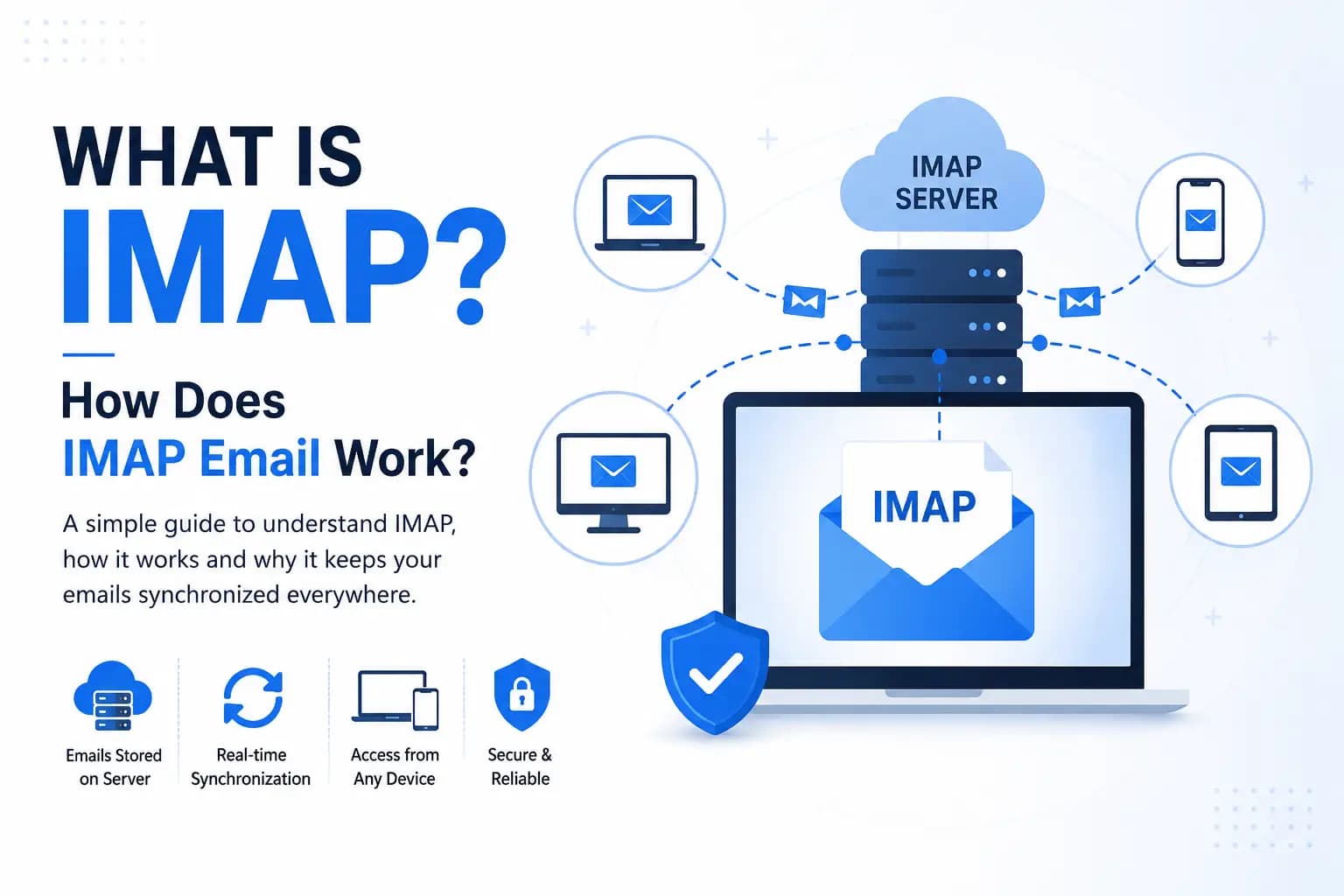
Today, in this digital age, work has become simple and smooth due to technology. Emails can be accessed on different devices from the same account, and the actions taken on one device can be seen on other devices. This is possible due to email synchronization, which is done through IMAP. IMAP is the Internet Message Access Protocol, which enables users to access and manage messages on a mail server. In this blog, users will learn a detailed guide about what IMAP is, how an IMAP email works, and why IMAP is used by everyone.
What is IMAP?
IMAP is a standard protocol that allows an email client to communicate with an email server. Using the IMAP Protocol, emails are stored on the IMAP server, and users access and manage the data using Outlook, Apple Mail, and other email clients. It requires an internet connection for full synchronization. Users can make changes to the data, such as deleting, moving, compose. Once the server is connected to the IMAP-enabled email client, the mailbox data is displayed. The benefit of the IMAP Protocol is that the emails are stored in the mail server, which enables the users to not limit to just one device and to access data from any device from the server.
What Happens When an Email Opens?
The email first reaches the mail server and is stored in your mailbox.
Your email application connects to the server using your account details and IMAP settings.
The application receives and displays your emails and folders from the server.
You can read, flag, delete, move, or mark emails as read or unread.
Any changes you make are synchronized back to the IMAP server.
Other connected devices sync with the server and display the updated mailbox status.
Key Scenarios of Using IMAP
Reading an email on a device and seeing it marked as read on another device.
Accessing the same mailbox and folders from any location.
The changes in the data are synchronized; hence, any change is also displayed in other email clients.
Verifying and organizing the mailbox data from any particular device.
How Does IMAP Email Work?
The IMAP protocol works using a client-server model. The email application acts as the client, while the IMAP server stores and manages the mailbox.
The user opens an email client and signs in to the email account.
The email client establishes a connection with the IMAP server.
The server authenticates the account using the configured credentials and authentication method.
The email client retrieves information about available messages and folders.
Users can read, delete, move, flag, or organize their emails.
The changes are synchronized with the server and become visible on other connected devices.
IMAP vs POP3: Key Differences
Feature | IMAP | POP3 |
|---|---|---|
Email Storage | Primarily stored on server | Primarily downloaded locally |
Multiple Device Access | Supported | Limited |
Email Synchronization | Supported | Limited |
Folder Synchronization | Supported | Not generally supported |
Offline Access | Depends on locally cached data | Downloaded messages available offline |
Best For | Multiple-device access | Primarily local email access |
What Do You Need to Configure IMAP?
To configure IMAP, users are usually asked for the following data:
IMAP server address.
Port number
Email address or username
Password or supported authentication method
SSL/TLS configuration
Key Benefits of Using the IMAP Protocol
The following are the benefits of IMAP Email to provide the mailbox access on multiple devices.
Access emails across multiple devices
Keep mailbox changes synchronized
Manage emails from anywhere
Maintain consistent read/unread status
Organize emails across synchronized folders
Reduce dependence on a single device
Access the latest mailbox updates
Support multiple email applications
Importance of IMAP Backup
Due to the various uses and benefits of IMAP-supported email clients and the mailbox data, it is really important to create a backup copy of IMAP. Some of the reasons include:
Protect important emails and attachments from accidental deletion.
Maintain a separate copy of mailbox data outside the IMAP server.
Preserve important business communications for future access.
Access backed-up emails even when the original email account is unavailable.
Safeguard mailbox data before changing an email provider or account.
Reduce dependence on server-based email synchronization for data availability.
Archive older emails locally for long-term storage.
How to back up IMAP?
Users can back up their data with Shefware IMAP Backup Tool, which is a reliable solution to back up and archive the IMAP mailbox data of IMAP-enabled email clients. It supports multiple formats and maintains the original mailbox folder structure during the entire process.
Follow the process to back up IMAP mailbox data with Shefware IMAP Backup Tool.
Install the software and connect the IMAP email account you want to back up.
Step 2: Choose Backup Format
Select the required output format, such as PST, MBOX, EML, or MSG.Step 3: Select Mailbox Data
Choose all or specific mailbox folders and apply date filters when required.Step 4: Select Destination
Browse and choose the location where you want to store the backed-up mailbox data.Step 5: Start and Verify Backup
Start the IMAP backup process and review the backup history after completion to verify the exported data.
Conclusion
If you are looking for an ideal backup solution for IMAP mailbox data, choose Shefware IMAP Backup Tool. This tool helps in data backup and archiving without any data loss while preserving the original mailbox data and maintaining the data integrity


Comments
Post a Comment